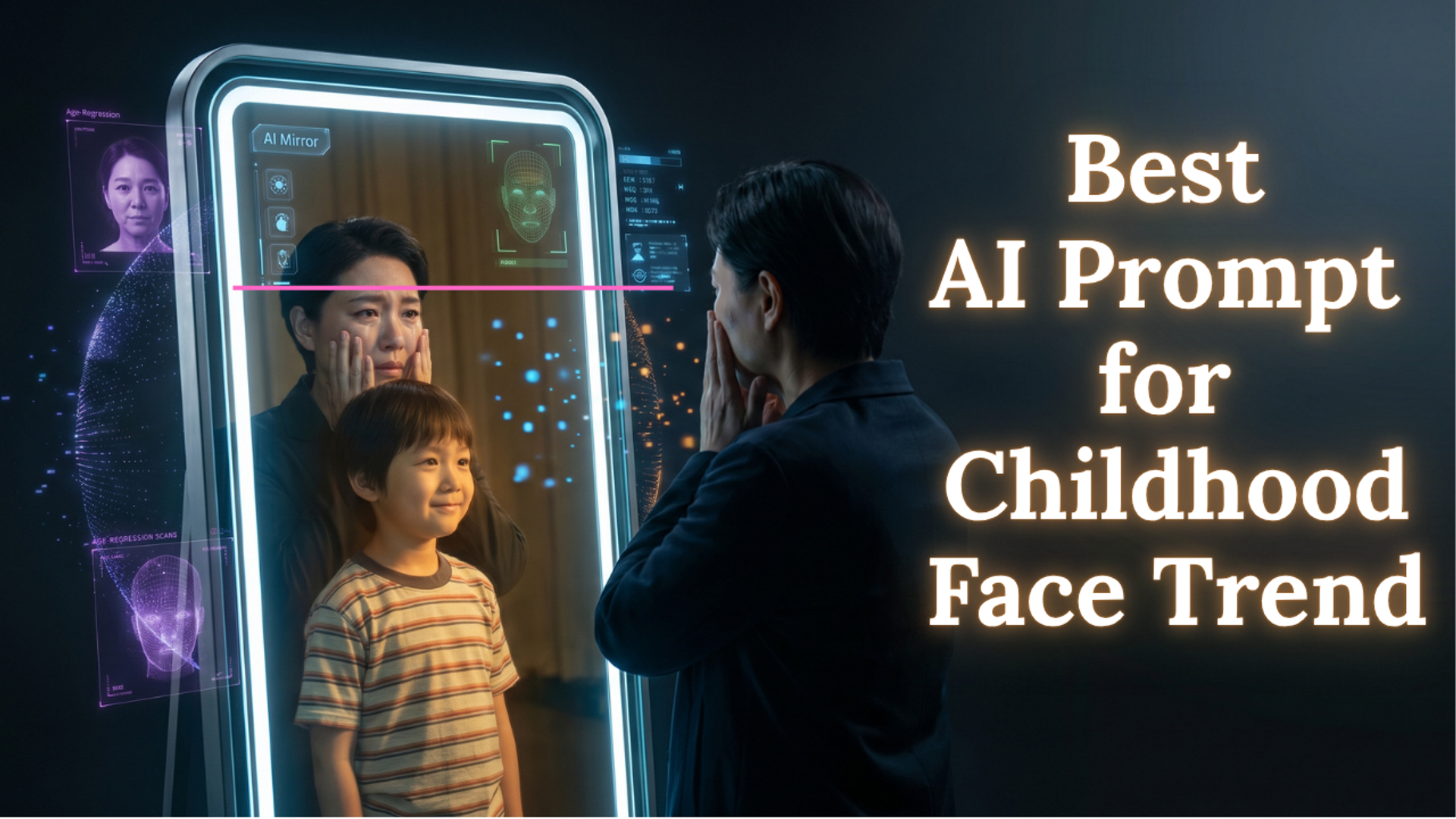
If you spend any time scrolling through social media in 2026, you have undoubtedly seen the "then and now" AI trend. Users are posting side-by-side images of their current selves looking lovingly at a hyper-realistic, AI-generated childhood version of themselves. It is emotional, it is visually stunning, and it stops the scroll instantly.
But for digital marketers, content creators, and developers, these trends represent something much bigger than a viral moment. They represent a massive shift in how users interact with Generative AI. We are moving away from generic landscapes and into Personalized Identity AI.
If you want to capitalize on this search volume, you cannot just copy and paste prompts. You need to understand how the algorithms interpret facial structures, camera angles, and lighting parameters. Here is the ultimate breakdown of the five most viral AI prompts of 2026, exactly how they work, and how to optimize your website to capture the traffic they generate.
1. The "Reflection of Time" Prompt (The Viral Nostalgia Hook)
This is the trend dominating feeds right now. It forces a visual, emotional communication between two versions of the same person across time. But how does an AI model, which has never seen your family photo albums, guess what you looked like in 1997?
The answer is age-regression algorithmic mapping. Modern AI models do not just apply a "smoothing filter." They analyze your current facial bone structure, the distance between your pupils, and your jawline proportions. They then mathematically reverse-engineer how those specific features likely sat before the changes of puberty and aging.
Here is the exact master prompt to generate this effect:
The Prompt:
"Create a picture with the following details: On the left: a child version of me looking with an innocent smile to the right, with 1997 written above wearing a light grey t-shirt and blue jeans. On the right: A present version of me (match face) sits with her hands under her chin and looks at the child with a calm smile, with 2026 written above. Wearing a white t-shirt and blue jeans. Studio background: plain and soft. The lighting: Soft, cinematic, warm (even a black-and-white photo). Style: Professional, minimal, emotional photography, focusing on feelings and visual communication between the two versions. Make the picture look so real like a real photoshoot. Keep my original features without changing. Photo size 4:5"
Why this prompt works perfectly:
- "Keep my original features without changing": This is the ultimate anchor phrase. It prevents the AI from generating a generic "pretty child" and forces the age-regression model to lock onto your uploaded reference image.
- "Soft, cinematic, warm": By dictating the lighting, you prevent the harsh, plastic look that ruins many AI generations.
- Aspect Ratio (4:5): This is the native aspect ratio for maximum vertical screen real estate on Instagram and Facebook, ensuring higher engagement rates.
2. The "Executive Presence" Prompt (The Corporate Headshot)
First impressions in the digital workspace have never been more critical. Whether you are optimizing a LinkedIn profile to showcase a recent promotion or updating the "Our Team" page for a corporate website, people are actively searching for ways to bypass expensive studio photography.
The AI headshot trend relies on forcing the model to mimic high-end DSLR camera settings.
The Prompt:
"A professional, high-end corporate headshot of [Upload Reference Subject]. They are wearing a sharp, tailored charcoal blazer, standing against a softly blurred modern glass office background. Natural sunlight is streaming in from a side window. 8k resolution, shot on an 85mm lens, f/1.8 aperture, ultra-realistic skin texture, confident yet approachable smile. Corporate photography style, hyper-detailed."
Why this prompt works perfectly:
- "85mm lens, f/1.8 aperture": These are the exact physical camera parameters portrait photographers use to compress facial features flatteringly and create a beautiful, blurred background (bokeh).
- "Ultra-realistic skin texture": This stops the AI from aggressively airbrushing the subject, keeping the professional image authentic and trustworthy.
3. The "Zero-Cloud Utility" Prompt (The App Developer's UI Mockup)
Not all viral prompts are about faces. There is a massive subculture of Android developers and UX designers using AI to rapidly prototype application interfaces before they ever write a single line of XML or Java. This is especially popular for privacy-focused, offline-first applications.
The Prompt:
"A clean, minimalist UI/UX design mockup for a secure Android mobile application. The app features a dark mode theme with neon cyan accents. The screen displays a dashboard for an offline, privacy-first utility tool, showing clear, bold typography and intuitive navigation icons. The layout must be modern, highly functional, and lack any cloud-sync indicators. Dribbble style, high-tech, 8k resolution, flat design."
Why this prompt works perfectly:
- It immediately establishes the design language (Dark mode, cyan accents) necessary for modern tech utilities. Rapidly iterating these UI designs saves hours of brainstorming before moving into the actual coding and testing phases.
4. The "OTT Cinematic Storyboard" Prompt
For operations leads managing media networks or digital campaigns, visualizing a video shoot before allocating a budget is a superpower. AI is heavily trending as a storyboard generation tool for commercial shoots.
The Prompt:
"A cinematic wide-angle storyboard frame. A dramatic, high-contrast shot of a bustling city street at night, illuminated by neon signs and rain puddles. The camera is positioned low to the ground. Shot on 35mm film, anamorphic lens, epic lighting, cinematic color grading in teal and orange. Hyper-detailed concept art."
Why this prompt works perfectly:
- Using terms like "anamorphic lens" and "teal and orange color grading" forces the AI to abandon the "digital illustration" look and produce an image that looks like a still frame pulled directly from a high-budget streaming series.
5. The "Hyper-Targeted B2B Lead" Prompt
If you are running a paid ad campaign targeting a highly specific demographic, generic stock photos of people pointing at laptops will drain your ad spend. Marketers are generating hyper-specific customer avatars to increase click-through rates.
The Prompt:
"A medium shot of a focused female digital marketing manager in her mid-30s, sitting at a clean wooden desk. She is looking intently at a glowing dual-monitor setup displaying complex SEO analytics and lead generation charts. Warm ambient office lighting, realistic textures, highly relatable, modern startup environment. Shot on Sony A7S III."
Why this prompt works perfectly:
- It builds a perfectly relatable mirror for the target audience. When a user sees an ad featuring someone who looks exactly like them, doing exactly what they do, the conversion rates skyrocket.