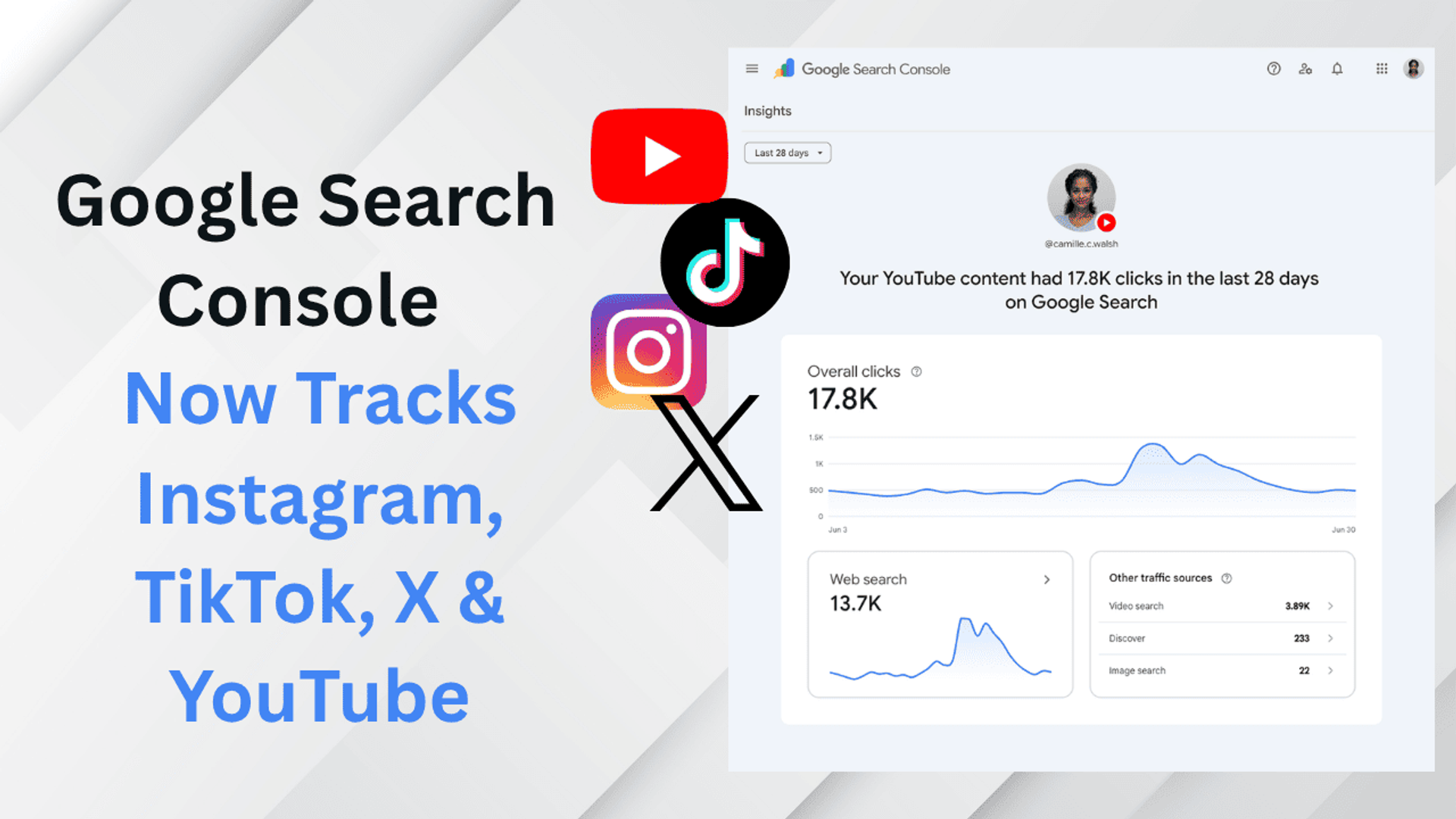
Google Search Console Now Tracks Instagram, TikTok, X and YouTube: Here's How It Works
For anyone who owns a website, Google Search Console is one of the most useful tools for improving visibility on Google.
It shows which search queries generate impressions, which pages receive clicks, and how your website performs in Google Search.
For SEO professionals and digital marketers, this data is incredibly valuable.
Instead of blindly guessing what people are searching for, we can look at actual search queries, identify pages receiving impressions, and optimise our content based on real data.
But when it comes to social media, things have always been a little different.
You publish an Instagram Reel.
Upload a TikTok video.
Post something on X.
Or spend hours creating a YouTube video.
Then you wait.
If the content performs well, great.
If it doesn't, the guessing begins.
Was the topic wrong?
Was the caption bad?
Did people simply not search for this type of content?
For many marketers and creators, social media content planning can sometimes feel like walking blindfolded through a forest.
We keep publishing content based on assumptions, trends and competitor posts without fully understanding how people are actually discovering our content through Google.
Now, Google Search Console is changing that.
Google Search Console Introduces Platform Properties
Google has introduced a new Search Console property type called Platform Properties.
The feature allows eligible users to connect supported social media and video accounts directly to Google Search Console.
The supported platforms announced by Google include:
- TikTok
- X
- YouTube
This means Google Search Console is no longer useful only for website owners.
Even if you don't own a website, your supported social or video account may be eligible to be added as a property in Search Console.
Google is gradually rolling out Platform Properties, so the option may not immediately appear in every Search Console account.
But the idea behind the feature is simple.
Creators and digital marketers can now understand how content from their social accounts performs when people discover it through Google Search and Discover.
What Are Platform Properties?
Until now, Google Search Console has mainly been associated with websites.
You add a domain or URL-prefix property, verify ownership, and Google begins showing search performance data for the website.
Platform Properties extend this idea to supported third-party content platforms.
Instead of adding only a website domain, you can connect an Instagram, TikTok, X or YouTube account.
Once connected, Search Console can provide data about how content associated with that account appears and performs through Google.
This is an important distinction.
Google Search Console is not replacing Instagram Insights, TikTok Analytics, X Analytics or YouTube Studio.
Those platforms will continue to provide data about what happens inside their own ecosystems.
Google Search Console answers a different question:
How are people discovering your social content through Google?
For digital marketers working on social SEO and content discovery, this could become an extremely useful source of data.
What Data Can You See?
Platform Properties provide search performance data similar to the information SEO professionals already use when analysing websites.
You can view key metrics such as:
- Total clicks
- Total impressions
- Search queries
- Content performance
- Recent traffic trends
The data can also be filtered and sorted to understand which content and search queries are generating visibility.
You can also export the data if you want to analyse it using another reporting or analytics tool.
Imagine you publish 20 Instagram Reels about digital marketing.
Inside Instagram, one Reel may receive the highest number of views.
But Google Search Console may reveal that another Reel is repeatedly appearing for a search query such as:
That information gives you a completely different content signal.
Instead of guessing what to publish next, you now have actual Google search behaviour to analyse.
Search Queries Could Be the Most Valuable Feature for Marketers
For website owners, the Search Queries report has always been one of the most useful sections in Google Search Console.
It tells us the words and phrases people searched before seeing our content in Google.
Now imagine applying that same thinking to social media content.
Suppose you manage a YouTube channel focused on SEO and digital marketing.
You regularly create videos about:
- Keyword research
- Technical SEO
- Google Search Console
- AI SEO
- Website audits
After analysing your Platform Property, you notice that your content is receiving impressions for:
“free SEO audit tools”
That query is not just a performance metric.
It is a content opportunity.
Your next YouTube video could be:
5 Free SEO Audit Tools for Beginners
Your next Instagram Reel could be:
3 SEO Errors You Can Find in 60 Seconds
Your next website article could be:
How to Run a Free Technical SEO Audit
Instead of creating three completely unrelated pieces of content, you can build a content cluster around an actual search query.
This is where Platform Properties could become valuable for digital marketers.
Insights Report: Understand Your Recent Search Trends
Google Search Console also provides an Insights report designed to give users a simpler overview of recent search performance.
For Platform Properties, Insights can help you understand recent traffic trends, top-performing content and how people are discovering your account through Google.
This could be especially useful for social media managers publishing content regularly.
For example, you may notice that your general digital marketing posts are receiving limited visibility from Google.
But your technical SEO videos are beginning to generate more impressions.
That is a signal.
Instead of continuing to publish content based only on your existing content calendar, you can analyse the trend and create more supporting content around technical SEO.
Data should not completely replace creativity.
But it can help marketers understand where search demand is beginning to appear.
Achievements: Track Your Google Search Growth
Google Search Console also includes Achievements.
Achievements allow you to track search performance milestones.
For example, Search Console may highlight when your content reaches a new threshold for total clicks from Google Search during a recent 28-day period.
For established brands, this may simply be another metric.
But for a growing creator or small business, these milestones can help show whether Google Search visibility is improving.
Many social media marketers measure growth only through followers.
But follower count doesn't always tell the complete story.
Your social content may gradually start appearing for more Google searches even before your follower count increases significantly.
Platform Properties can help make that search visibility easier to understand.
How to Add Instagram, TikTok, X or YouTube to Google Search Console
Adding a supported social account to Google Search Console follows a relatively simple process.
Open Google Search Console and access the property selector.
Click Add property.
If Platform Properties are available for your account, select the supported platform you want to connect.
Choose Instagram, TikTok, X or YouTube.
Google will then guide you through the authorization and verification process.
Once the account is successfully connected and data becomes available, you can begin analysing its Google Search performance.
Because the feature is being gradually rolled out, you may not see the Platform Properties option immediately.
If it is not available in your account yet, you may need to wait until the rollout reaches your Search Console account.
How Digital Marketers Can Use Platform Properties for SEO
This is where the update becomes particularly interesting.
Platform Properties shouldn't be treated as just another analytics dashboard.
The real opportunity is combining social search data with your existing SEO strategy.
Imagine Search Console shows that your Instagram content is receiving impressions for:
“AI SEO tools”
Before creating another Reel around the topic, analyse the Google search landscape.
Look at the pages currently ranking for the query.
Review their title tags.
Analyse their meta descriptions.
Study the type of content appearing on the first page.
Identify questions or topics competitors may have missed.
You can then build both your social media content and website content around the same search intent.
For example:
Search query: AI SEO tools
Instagram Reel: 5 AI SEO Tools Digital Marketers Should Test
YouTube video: How I Use AI Tools for a Technical SEO Audit
Blog article: Best AI SEO Tools for Technical SEO and Content Research
Supporting article: How to Audit a Website Before Using AI for SEO
This creates a connected content ecosystem.
Instead of running a separate social media strategy and SEO strategy, marketers can start building content clusters around actual search behaviour.
Before optimising a webpage, you can also use our SEO tools to review your metadata, SERP appearance and other important on-page SEO elements.
The goal is simple.
Find the search demand, understand the intent and create useful content around it across multiple platforms.
Stop Guessing What Content to Create
One of the most common questions marketers and creators ask is:
“What should I post next?”
Usually, the answer comes from competitor research, trend tools or simply copying a content format that recently went viral.
Platform Properties add another data source to the content planning process.
Look at the search queries generating impressions.
Identify topics where Google is already testing your content.
Then create deeper supporting content around those topics.
For example, imagine your content starts receiving impressions for:
AI video prompts
Your next content ideas could include:
- Best AI Video Prompts for Cinematic Shots
- How to Write Better AI Video Prompts
- Camera Movement Prompts for AI Videos
- AI Movie Trailer Prompt Formula
- Common AI Video Prompt Mistakes
One search query can become an entire content cluster.
This is not blind content creation.
It is search-informed content creation.
Is Google Search Console Replacing Social Media Analytics?
No.
Instagram Insights still tells you what happens inside Instagram.
TikTok Analytics provides information about TikTok performance.
YouTube Studio helps you understand your YouTube audience and video engagement.
Google Search Console has a different purpose.
It helps you understand how your content performs when people discover it through Google's search and discovery surfaces.
The smartest strategy is to use both.
Native social media analytics can tell you what your existing platform audience likes.
Google Search Console can help you understand how people discover your content through Google.
Combine both data sources and your content decisions become much more informed.
Final Thoughts
For years, website owners and SEO professionals have used Google Search Console to understand what people search for, which pages generate impressions and where organic search opportunities exist.
Platform Properties bring a similar search-focused perspective to supported social media and video accounts.
The most interesting part of this update isn't simply seeing clicks or impressions.
It is understanding search intent.
If you know what people are searching for when they discover your Instagram posts, TikTok videos, X posts or YouTube content, you can create better content around actual audience demand.
You don't have to completely depend on assumptions.
You don't have to publish dozens of unrelated posts and hope one of them performs.
Analyse the search queries.
Find the content receiving impressions.
Understand what people are looking for.
Then create better, deeper and more useful content around those topics.
For digital marketers and SEO professionals, Google Search Console Platform Properties could become an important bridge between social media strategy and search engine optimisation.